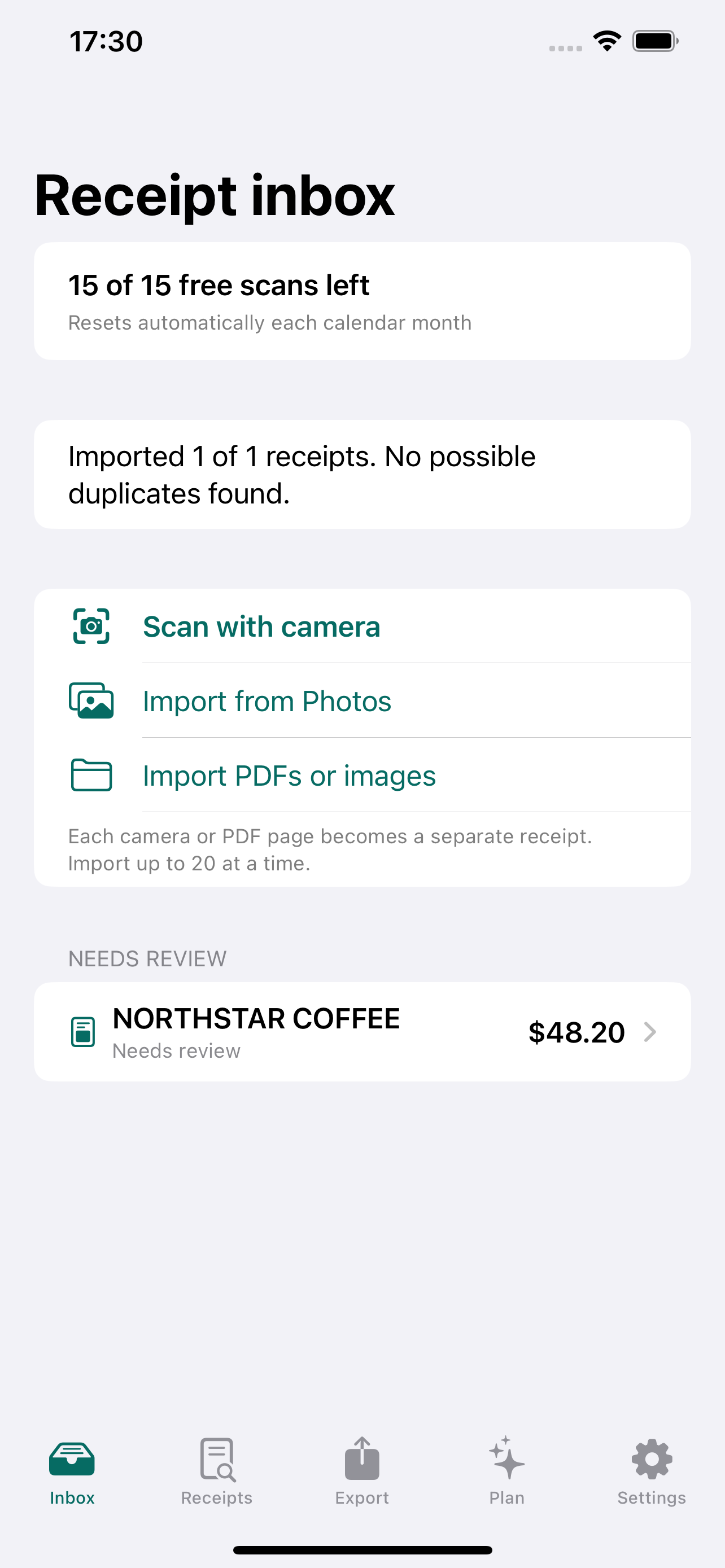
Scan or import
Use the camera, Photos, Files, images, or every page of a PDF.
Receipt review for independent work
Scan or import receipts, review only the fields that need attention, then export a clean CSV or Excel file when you are ready.
No required account. Receipt images stay on your iPhone by default.
Clear the pile without handing over control of your documents.
A receipt workflow with a finish line
Use the camera, Photos, Files, images, or every page of a PDF.
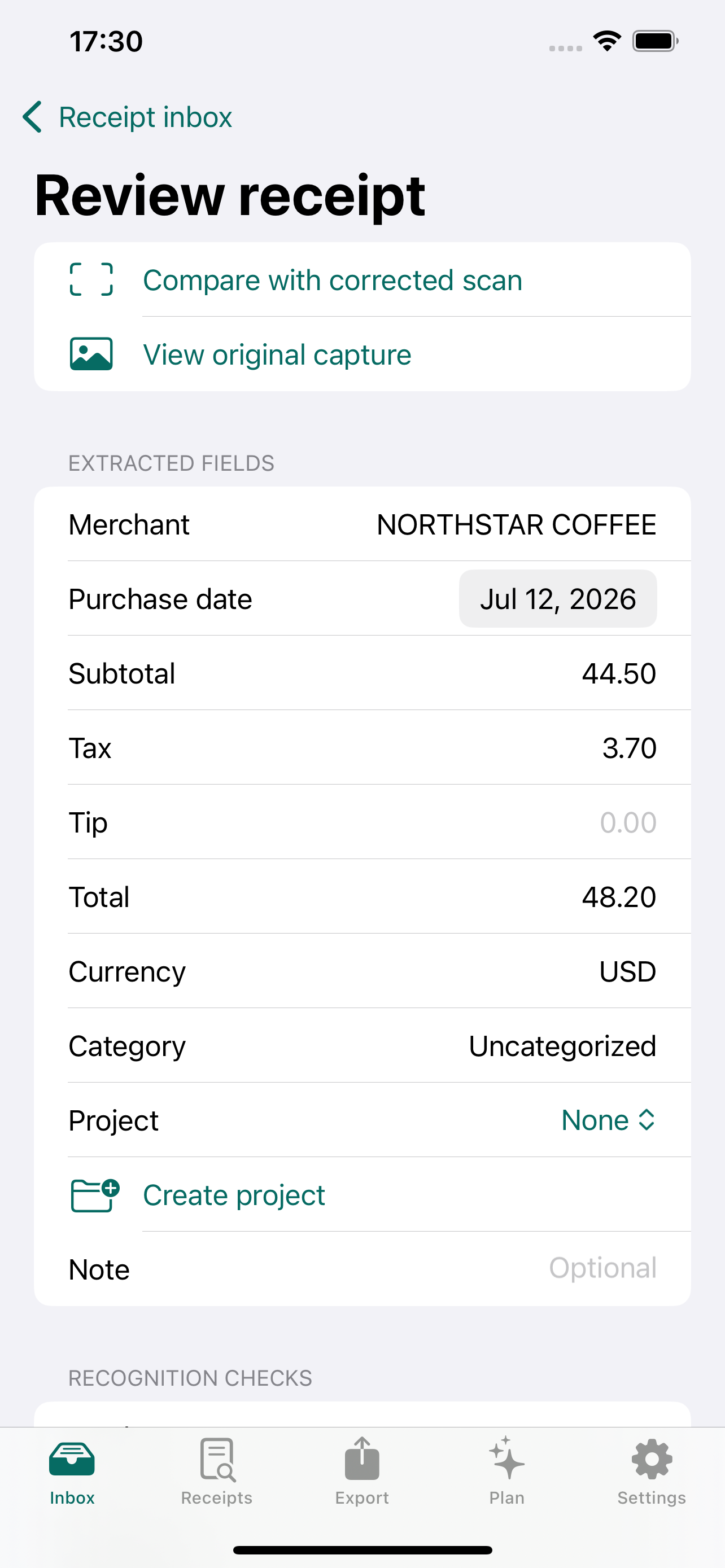
Uncertain fields stay visible. Tap to compare them with the source area.
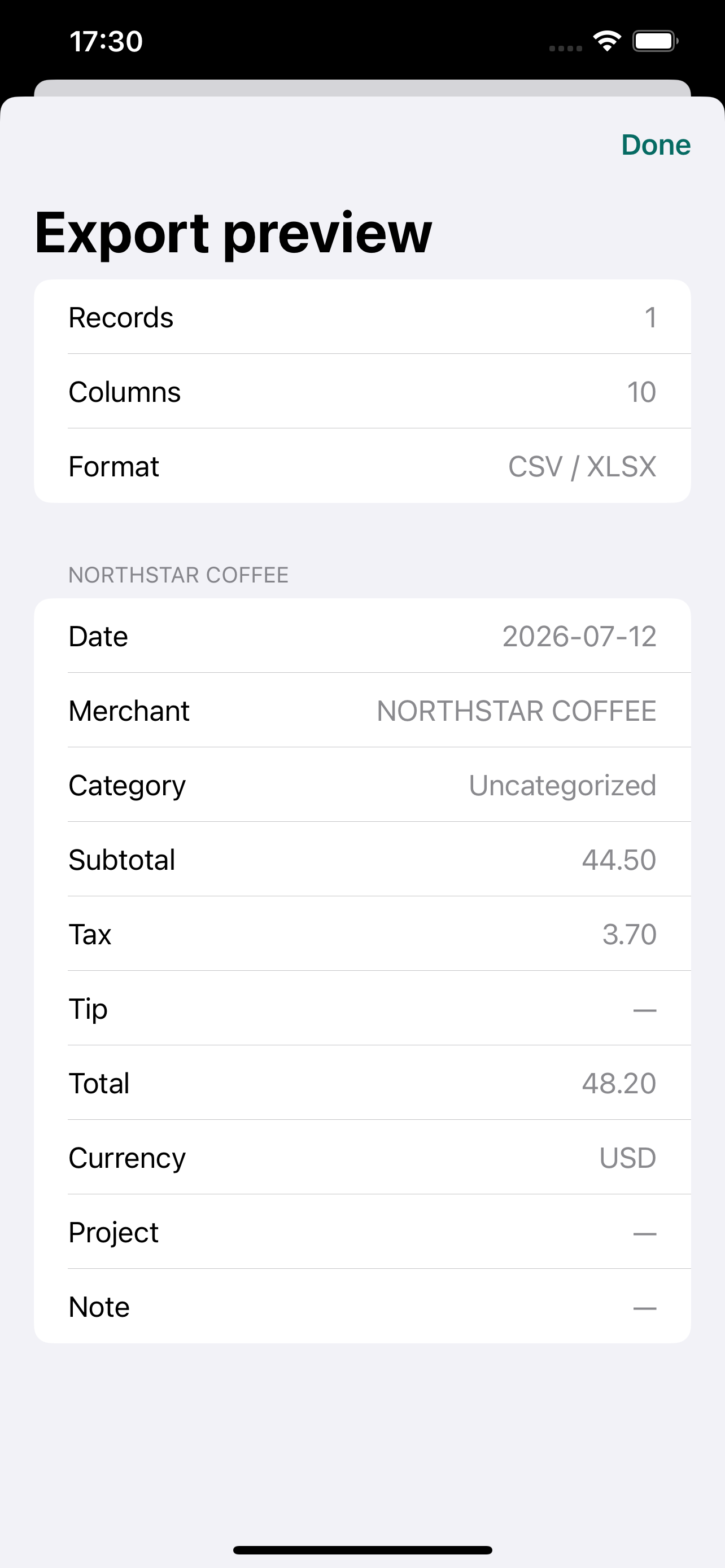
Preview selected receipts, then create the CSV or Excel file your workflow needs.
Don't take an OCR guess on faith
RecordSlip keeps uncertain fields visibly separate from completed records. Tap into the source evidence, make the correction if needed, and preserve the original machine value for reference.
Private by design
Recognition runs on-device by default. RecordSlip does not require an account, use advertising SDKs, or track you across apps and websites.
Optional enhancement is available for defined uncertainty cases. It uses bounded OCR text, confidence, and line positions—not receipt images or user corrections—and local recognition remains available when the service is unavailable.
Read the Privacy Policy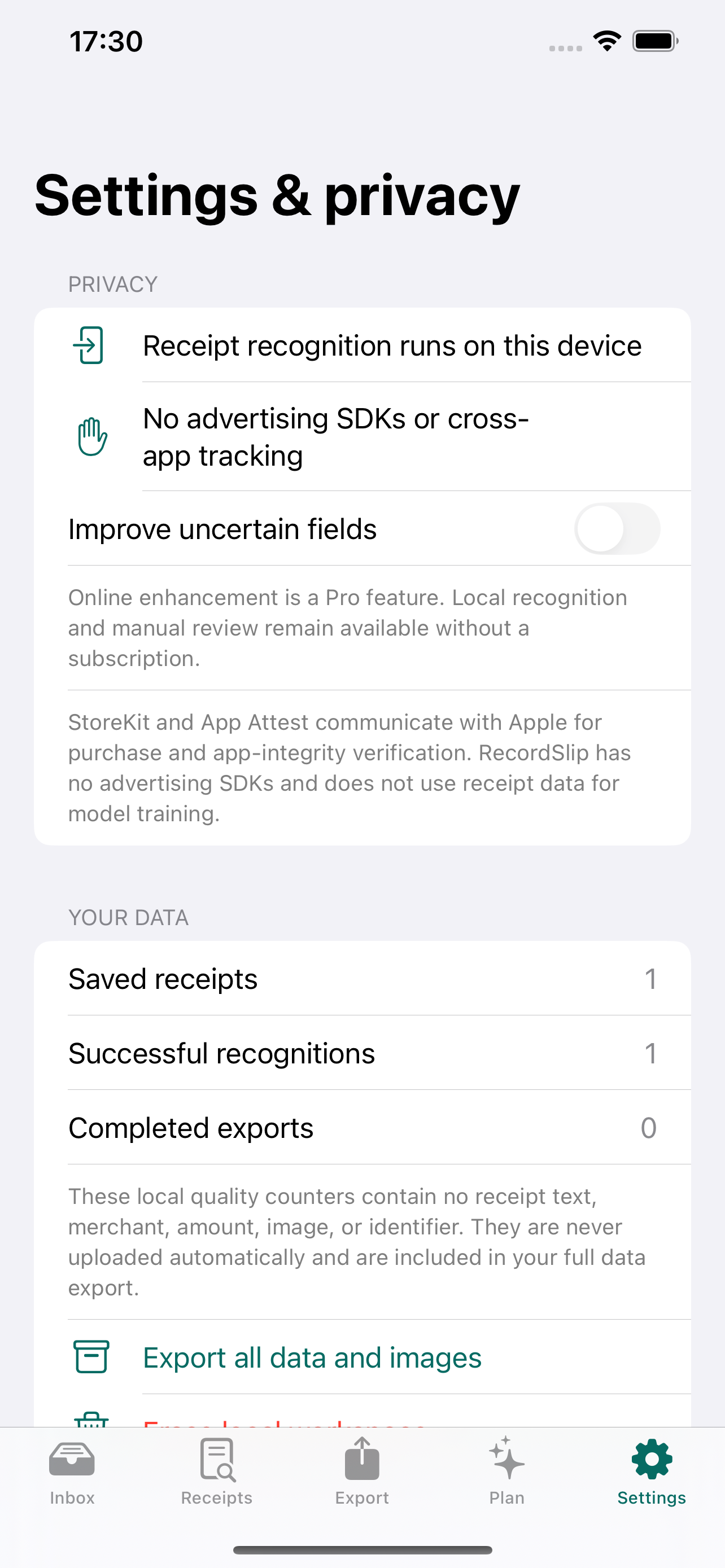
Ready when the receipt is
Scan, verify, and export without turning your receipt process into another system to manage.
View RecordSlip on the App Store